
Token exchange (self-serve keys)
Busbar lets a developer self-serve their own budgeted API key by signing in with your
identity provider — no admin issuing a key per person. Busbar hosts the exchange itself at
one endpoint, /auth/token. A developer signs in, gets a personal key scoped to their
own budget, and points any BYOK AI tool (Cursor, VS Code, …) at it.
How it works
Section titled “How it works” developer busbar (/auth/token) AI tool ───────── ──────────────────── ─────── hit /auth/token ──▶ 1. verify identity (browser sign-in · browser, OR OR a token the caller already holds) · a token you hold 2. map SSO group ─▶ team (role_bindings) 3. mint ONE self-scoped key (budget from the team's child_default) │ ▼ { api_key, key_id, … } ──▶ point tool at public_url + api_keyRe-login returns the same key. Refresh rotates it (the old key is revoked).
The two front doors
Section titled “The two front doors”Same endpoint, two ways in — a developer uses whichever fits what they’re holding.
GET /auth/token — the browser
Section titled “GET /auth/token — the browser”A hosted sign-in page. If you’ve enabled more than one method, it opens with a chooser (one button per method) first.
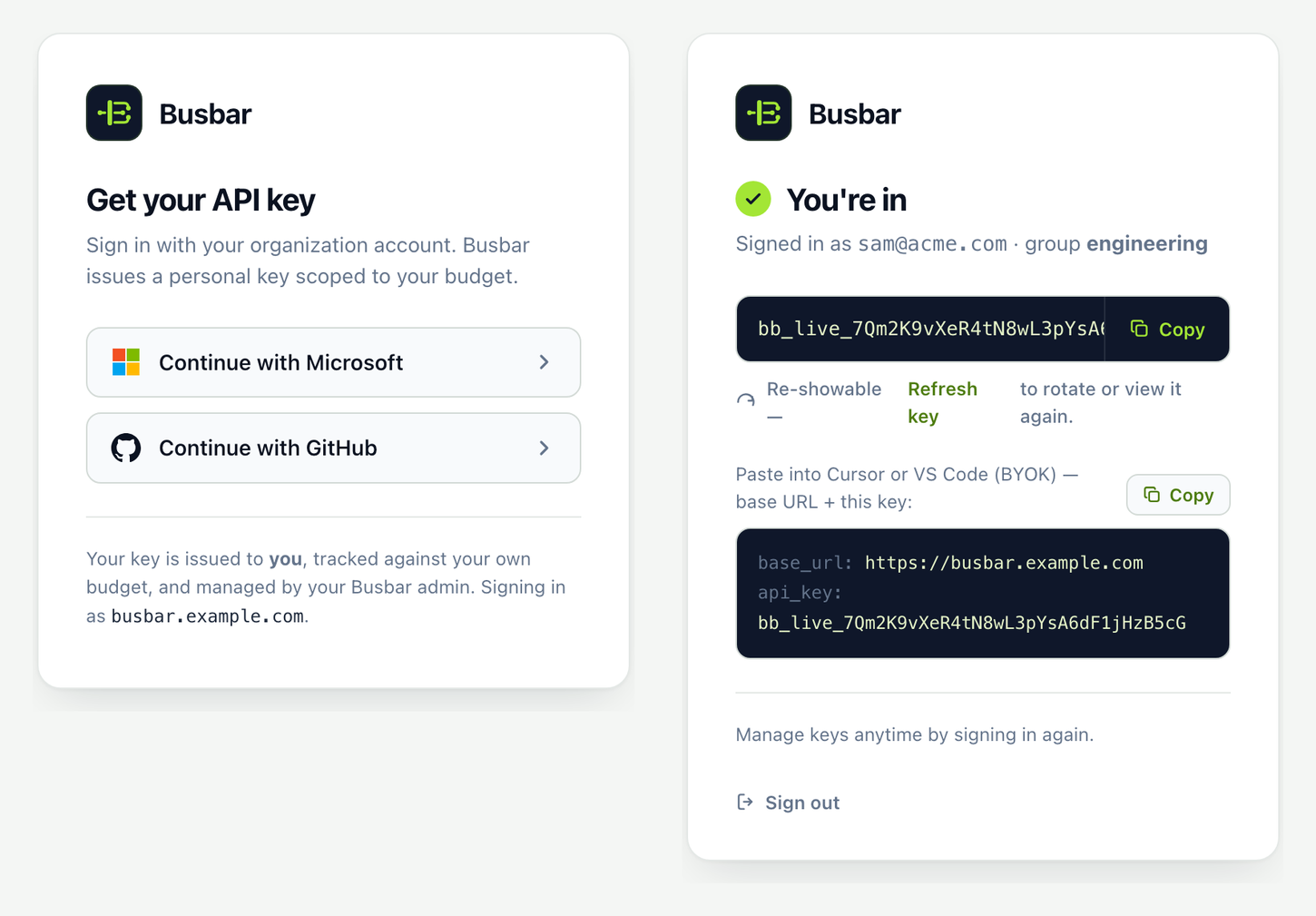
POST /auth/token — headless
Section titled “POST /auth/token — headless”Present an IdP token you already hold (a CI job, an internal tool, az account get-access-token, …) and get the key back as JSON:
curl -X POST https://busbar.example.com/auth/token \ -H "Authorization: Bearer $OIDC_TOKEN"# → {# "api_key": "sk-bb-…", # the personal key — use as your tool's API key# "key_id": "vk_…", # its stable id# "group": "user:<sub>", # the personal budget bucket it charges through# "exp": 1754006400 # expiry, Unix seconds (now + key_ttl)# }Identity is taken from the verified token, never from the request body — a caller can only ever mint their own key.
Enable it
Section titled “Enable it”- Install an auth method plugin: OIDC, GitHub, or LDAP.
- Set
public_urlto the base developers’ browsers actually reach. - Declare the provider under
identity-providers:with abrowser_login:block. (1.5.3: the retired parallelauth.methods:map folded into the provider definition — a client id/secret belongs to ONE IdP registration, so it belongs on that provider.)
public_url: "https://busbar.example.com" # busbar builds /auth/token against thisidentity-providers: oidc: module: oidc settings: issuer: "https://login.microsoftonline.com/<tenant>/v2.0" audience: "<client-id>" browser_login: # presence turns on the hosted sign-in button; client_secret: { env: OIDC_CLIENT_SECRET } # omit the block for headless-onlyauth: key_ttl: 90d # issued-key lifetime (admin-set; default 90d) chain: [keys, oidc] # reference the provider BY BARE NAME role_bindings: oidc: # NESTED BY PROVIDER NAME "<sso-group>": { group: engineering } # which team's child_default budgets each devThat’s the shape — full per-provider config (issuer, audience, claim mapping, IdP walkthroughs) lives on the plugin page: OIDC · GitHub · LDAP.
With Entra ID,
"<sso-group>"above is not necessarily your security group’s display name — what it must be depends onrole_claim(app role Value string vs. security group Object ID GUID), and the redirect URI, client secret, and role/group setup have their own gotchas too. This trips people up constantly; see Walkthrough: configuring OIDC with Microsoft Entra ID for the full click-by-click reference before you bind a role.
Key facts
Section titled “Key facts”- One key per person. Deterministic from the verified identity, so it re-shows on every login; a Refresh button rotates it (old key revoked).
auth.key_ttl. Admin-set key lifetime, default 90d; a re-login re-issues within the window.- Self-scoped. Identity comes from the verified token, never the request body — the
exchange can only mint the caller’s own
user:<sub>key. - Budget auto-provisioned. The
user:<sub>bucket is created on first exchange, limits stamped from the mapped team’schild_default. - Any auth method. Works identically with
oidc,github, orldap. - Don’t want issued keys? Put the method in
auth.chaininstead (e.g.chain: [oidc]) to verify a live IdP token on every request and issue no key. The two compose. See Configuration.